Find the Right AKAI 55 Inch TV for Your Home
We have designed our 55-inch TV collection for viewers who want a cinematic upgrade without moving to an extra-large 65-inch or 75-inch screen. At this size, 4K movies feel more immersive, live sports are easier to follow and console games gain a wider field of view. A 55-inch screen can fit many Indian living rooms comfortably when the viewing distance and placement are planned correctly.
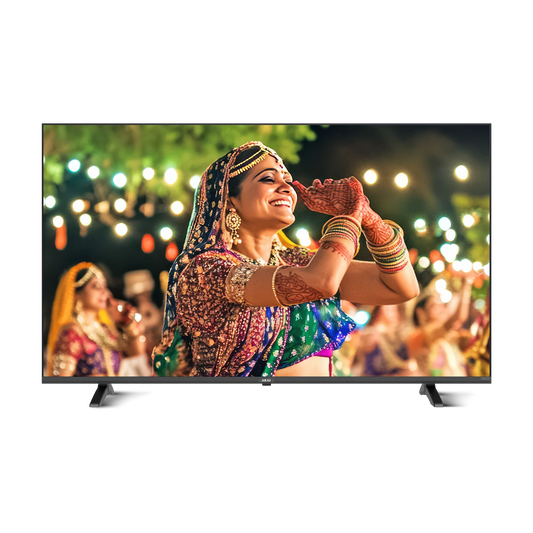
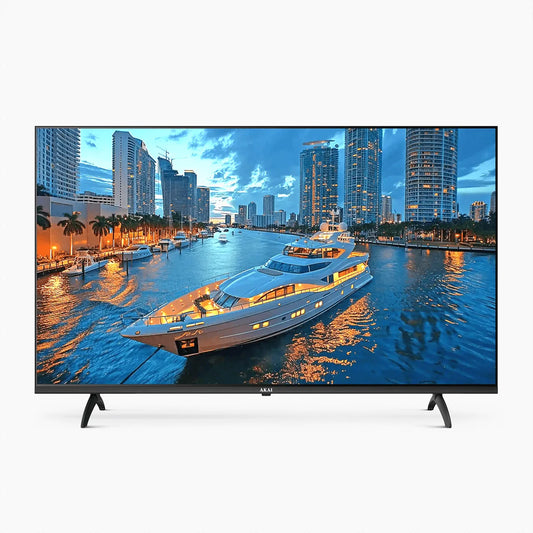
Our collection currently includes two 4K QLED Google TVs. Both models give you big-screen smart entertainment, but they address different priorities. Our 140 cm model focuses on accessible everyday streaming and family viewing. Our 139 cm Power View model adds Android 14, more internal storage, MEMC and gaming-oriented motion features. We recommend comparing how you actually use your television instead of choosing only by headline specifications.
You can find the current price, MRP, discount, EMI, rating and availability. Because these details can change, we keep this guide focused on the lasting differences that help you make an informed decision.
Which of Our 55 Inch TVs Should You Choose?
We recommend this model if you mainly watch web series, films, television channels, YouTube and family content. It combines our 4K QLED display with Google TV, 2GB RAM, 16GB storage, Chromecast, Miracast, Google Assistant and parental controls. It is the more accessible of our two models at the price currently displayed on our website.
This model may be the more sensible choice when advanced gaming is not a priority and you do not expect to install a large number of apps. It gives you the core benefits of a 55-inch 4K smart TV without asking you to pay for every motion-focused feature available in our Power View model.
We recommend our Power View model if you regularly watch cricket, football, action films or play games. Its current feature set includes Google TV with Android 14, 2GB RAM, 32GB storage, MEMC and 120Hz Game Mode messaging. The additional storage can be useful if you plan to install more supported apps.
MEMC is designed to make fast movement appear smoother by generating intermediate frames. Some viewers enjoy this effect for sports, while others prefer less processing for films. We therefore recommend adjusting the motion setting by content instead of leaving one strong setting active for everything.
For gaming, please check the supported resolution, refresh rate, input and HDMI conditions on the approved specification before purchase. “120Hz Game Mode” should not be assumed to mean that every game or HDMI input will operate at native 4K/120Hz.
Why We Use 4K Resolution on a 55 Inch Scree
r 55-inch TVs use 4K Ultra HD resolution of 3840 × 2160 pixels. At this screen size, the additional detail over Full HD becomes valuable for compatible movies, high-quality streaming, sports graphics and games. Fine textures and small on-screen text can look clearer when the source is genuinely available in 4K.
We also want to set the right expectation: a 4K television cannot turn every low-quality source into native 4K. Picture quality still depends on the original video, compression, internet connection, broadcast quality, picture settings and viewing distance. For the strongest result, select the highest suitable streaming quality and use a stable source.
How Our QLED Display Supports Colourful Viewing
Our QLED models use quantum-dot display technology to support bright and vivid colour. This makes them suitable for mixed viewing across daylight and evening conditions. Colourful films, animation, sports uniforms and nature programmes can all benefit from the expanded colour presentation.
QLED and OLED are different technologies. QLED is based on an LCD panel and backlight enhanced by quantum dots, while OLED pixels produce their own light. Rather than claiming that one technology is always best, we suggest considering room brightness, the content you watch, your budget and the complete specification of the model.
How Google TV Simplifies Entertainment
We use Google TV to bring supported apps, streaming services and recommendations into one organised interface. Instead of opening every app to search for something new, you can browse suggestions from compatible services, build a watchlist and use child-focused controls. A Google account, internet access and separate paid subscriptions may be required for some content and features.
Both of our current 55-inch models include Google Assistant, built-in Chromecast and Miracast. With Chromecast, you can cast compatible content from your phone, tablet or laptop when both devices meet the relevant app and network requirements. Miracast offers screen sharing for compatible devices.
Our current technical tables list far-field voice control as unavailable on both models. We therefore describe voice control in connection with Google Assistant and the supported remote rather than promising hands-free operation from anywhere in the room.
Our Recommendation for Cricket, Sports and Action Content
A 55-inch screen makes it easier to follow players, scorecards and wide stadium shots. For fast content, motion handling matters as much as screen size. Rapid camera pans may expose blur or judder that is less noticeable in slower programmes.
Among our current models, we position the Power View TV as the stronger choice for sports because it includes MEMC and motion-focused features. MEMC can smooth movement, but personal preference matters. If the image looks unnaturally smooth during a movie, reduce or disable motion processing for that content.
Source quality still affects the outcome. A compressed sports stream cannot provide the same detail as a high-bitrate 4K source. We recommend using a stable connection and the best available broadcast or streaming quality.
Our Recommendation for Console Gaming
Our Power View model is the gaming-oriented option within this collection because it promotes 120Hz Game Mode alongside smoother motion. Before choosing it for a console, we recommend confirming:
- the supported resolution and refresh rate;
- The HDMI input required for the feature;
- whether Game Mode lowers input delay;
- ARC or eARC availability for your soundbar;
- How many ports remain after connecting your console, set-top box and audio system;
- whether your HDMI cable supports the required signal.
Casual gamers who usually play at 60Hz may find our standard model adequate, subject to its approved input and HDMI specifications. Competitive gamers should base their decision on verified input-lag, VRR, ALLM and HDMI data rather than a single refresh-rate label. We do not claim features that are absent from the approved specification.
Understanding HDR and Dolby Features
HDR can reproduce a wider range between bright highlights and dark parts of an image when the television and source support the same format. HDR10 is widely used in streaming and discs, while HLG is commonly associated with compatible broadcasts. Dolby Vision uses dynamic metadata to adjust picture information across scenes.
The viewing result depends on the content, app, subscription tier and physical display—not only the presence of an HDR logo. Before we publish Dolby claims in the collection comparison, we will keep the approved specifications consistent across our product bullets, feature graphics and technical table.
Dolby audio processing can help present compatible sound, while Dolby Atmos is designed to create a more spacious sound field. Built-in TV speakers cannot replicate a complete multi-speaker home theatre. If you prefer stronger bass, greater scale or clearer dialogue at higher volumes, you can connect a compatible soundbar after checking the shared HDMI ARC/eARC or optical connection.
Is a 55 Inch TV Right for Your Room?
For many homes, we suggest using approximately 6.5 to 9 feet as a practical starting viewing range for a 55-inch 4K TV. This is not a mandatory distance. You may prefer sitting closer for a cinema-like view or farther away when much of your content comes from compressed cable channels.
Before ordering, we recommend marking the approximate screen area on your wall with removable tape. Check for direct sunlight, lamps, shelves, doors and switches. Make sure the television has enough ventilation and that the centre of the screen can sit close to a comfortable eye level.
Remember that 55 inches refers to the diagonal screen measurement, not the full width of the television. Always check the exact dimensions with and without the stand on the selected model's approved specification sheet.
Wall Mounting and Tabletop Placement
If you choose wall mounting, please use a bracket that matches the television's weight and VESA pattern. The wall must be able to support the installation safely. Plan the power socket, set-top-box position and cable route before the technician arrives. We recommend professional installation for a screen of this size.
For tabletop placement, use furniture wider and deeper than the complete stand footprint. Keep the feet away from the edge and secure the television where children or pets could pull or push it. Please check our current installation policy and pincode eligibility rather than assuming every location or mounting condition is covered.
Internet Requirements for 4K Streaming
Google TV needs a stable internet connection for streaming, app downloads, recommendations and updates. Streaming services often recommend around 15–25 Mbps for one 4K stream, but your household may need more bandwidth when phones, computers, cameras and other televisions use the same network.
We suggest placing the router close enough to provide a stable signal or using Ethernet where the selected model supports it and cabling is practical. Buffering can result from broadband speed, Wi-Fi interference, router placement, the app or the streaming provider; it does not automatically indicate a TV fault.
Our 55 Inch TV Buying Checklist
Before you choose one of our models, we recommend checking these points:
Room fit: Is your main seating position suitable for a 55-inch screen?
Viewing habits: Do you mainly watch films and OTT content, or do sports and games matter more?
Smart platform: Do Android version and internal storage affect the apps you plan to use?
Motion: Will you benefit from MEMC and the Power View gaming features?
Connections: Count every console, set-top box, soundbar, laptop and storage device.
Audio: Decide whether the built-in speakers meet your needs or you plan to add a soundbar.
Placement: Verify external dimensions, stand footprint, VESA pattern and wall suitability.
Serviceability: Enter your pincode and check the current delivery and installation terms.
Warranty: Read our warranty policy, coverage and exclusions before ordering.
Delivery evidence: Follow our current return policy instructions about recording a clear unboxing and same-day working video.
43 Inch, 55 Inch or 65 Inch: How We Suggest Choosing
We generally recommend a 43-inch TV for a smaller room or closer viewing, a 55-inch TV for a balanced big-screen living-room experience, and a 65-inch TV where the room and seating distance support a wider field of view. Bigger is not automatically better. A very large screen may dominate a compact room and make low-quality sources more obvious.
Our 55-inch range can be a meaningful upgrade for households moving from a 32-inch or 43-inch television. It increases picture area substantially while remaining easier to accommodate than a 65-inch or larger display. You can also compare our 43-inch, 50-inch and 65-inch collections before deciding.
Why Buy from AKAI India?
When you shop through our official website, you can review our current model pages, live prices, offers, delivery check and official policies in one place. We provide no-cost EMI availability, free shipping, free installation and one-year warranty messaging. Eligibility and terms can change, so please verify the live product page and linked policy at the time of purchase.
We also provide direct contact options for product assistance. AKAI India operates under licence from Akai Sales Pte Ltd, Singapore, and our brand story traces back to Tokyo, Japan, in 1929. We present this history alongside accessible warranty, shipping, installation and support information so that you can evaluate both the product and the ownership experience.