AKAI 43 Inch TV: A Practical Big-Screen Upgrade for Indian Homes
A 43 Inch TV is one of the most versatile screen sizes for modern Indian homes. It is noticeably more immersive than a 32-inch television, yet it can still fit comfortably in a bedroom, a 1 or 2 BHK apartment, a compact living room or a home office. The size works well for everyday DTH viewing, movies, sports, streaming, music, family entertainment and casual gaming without making the room feel dominated by the screen.
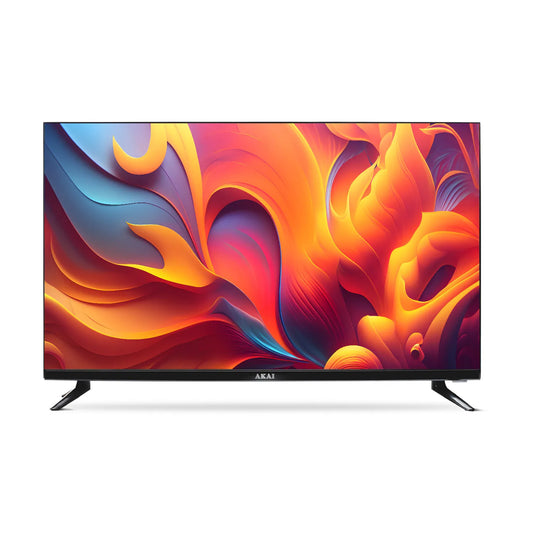
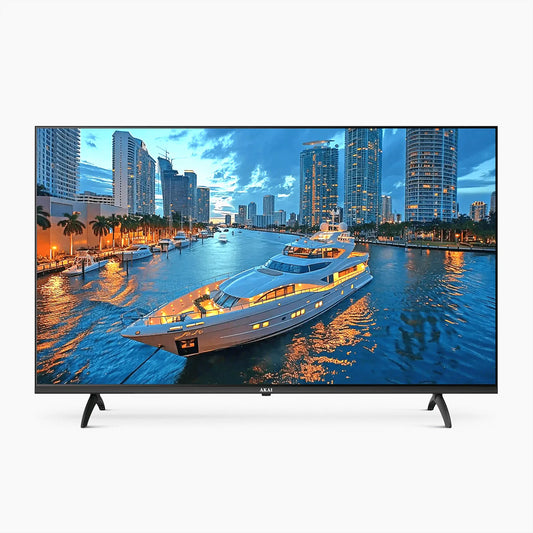
AKAI’s 109 cm TV collection gives you three distinct ways to buy within this size. You can choose an accessible Smart HD QLED model for everyday entertainment, move up to a Full HD Google TV for a more complete streaming and casting experience, or choose the 4K Ultra HD QLED Google TV when picture detail and premium display positioning matter most. The right choice is not simply the model with the longest feature list. It is the model that matches your room, viewing distance, content quality, connected devices and budget.
This guide explains the differences clearly so that you can compare the AKAI 43 Inch TV range with confidence. Product prices, offers, ratings and availability can change, so always treat the live product card and verified specification table as the final source before ordering.
What Does a 43 Inch or 109 cm TV Size Mean?
The advertised TV size is the diagonal measurement of the visible screen, measured from one corner to the opposite corner. A 43-inch television is commonly described as a 109 cm TV in India. This is a screen-size category, not the total width of the television.
For a standard 16:9 screen, the visible display area is approximately 95 cm wide and 54 cm high. The complete television will be slightly wider and taller because of its frame, stand and model-specific design. If you are placing the TV on furniture, check the exact product dimensions with the stand and make sure the legs fit safely on the surface. For wall mounting, check the complete dimensions, weight, VESA pattern, socket position and cable clearance on the verified product specification sheet.
Measure the space before you buy. Leave enough room around the television for ventilation, and do not plan the installation using the 109 cm diagonal measurement alone. Also check whether the power outlet, set-top box connection, Wi-Fi router and soundbar cables can reach the intended position cleanly.
Is a 43 Inch TV Right for Your Room?
A 43-inch screen is usually a strong fit when the seating distance is moderate and you want an immersive picture without moving to a much larger 50-inch or 55-inch television. As a practical starting point, many viewers find a distance of roughly 5.5 to 8 feet comfortable. The best distance depends on resolution, eyesight, room layout and personal preference.
Sit toward the closer end of that range if you watch high-quality 4K content and want to notice fine detail. Sit slightly farther back for Full HD content, compressed DTH channels or if a large picture feels tiring. Before installation, mark the approximate screen width on the wall with removable tape and view it from your normal seating position. This simple test is often more useful than choosing by room size alone.
- Bedroom – A balanced upgrade when the bed-to-wall distance is moderate and a 32-inch TV feels too small.
- 1 or 2 BHK Apartment – Ideal as the main TV for compact living spaces where seating is relatively close to the screen.
- Small or Medium Living Room – Suitable for family viewing, DTH channels, OTT streaming, sports, and movies from a moderate viewing distance.
- Home Office or Studio – Great for presentations, video streaming, online meetings, and as a secondary entertainment setup.
- Large Living Room – Check your seating distance before buying; a 50-inch or 55-inch TV may provide a more immersive viewing experience if you sit farther away from the screen.
Mount the centre of the screen near seated eye level where possible. A TV placed too high can cause neck discomfort during long viewing sessions. If reflections are a problem, avoid placing the screen directly opposite a bright window and use curtains or controlled lighting.
Compare the AKAI 43 Inch TV Range
AKAI 109 cm (43) Smart HD QLED TV
This is the entry-priced model in the current AKAI 43-inch collection. It is designed for buyers who want a large smart television and QLED positioning at a more accessible price than the other two models on the page. It can suit daily DTH viewing, streaming, family shows and a secondary room where value matters most.
Choose AKAI 109cm (43 Inch) Smart HD QLED TV model if your priority is an affordable 43-inch smart experience rather than the highest resolution in the range. Before ordering, open the product page and verify the final resolution, operating system, app support, ports and audio specification because those details determine compatibility with your streaming services and connected devices.
AKAI 109 cm (43) Full HD Smart Google TV with Android 14 and Power View
This model is the middle option for buyers who want a Full HD screen and the convenience of Google TV. Its technical table lists Google TV with Android 14, 2GB RAM, 32GB storage, Chromecast, Google Assistant support, three HDMI inputs, two USB inputs and one LAN connection. That combination is useful for a set-top box, streaming, casting from a compatible phone, a game console and a sound system.
Full HD resolution can still be a sensible choice at 43 inches when most of your viewing is HD DTH, YouTube or regular OTT content and you sit at a moderate distance. Google TV helps bring supported apps and recommendations into one interface, while Chromecast makes it easier to send compatible content from another device to the television.
Choose AKAI 109cm (43 Inch) Full HD Smart Google TV | Android 14 | Power View model if smart-platform convenience, casting and connectivity matter more to you than moving to 4K resolution.
AKAI 109 cm (43) 4K Ultra HD Smart Google QLED TV with Android 14 and Power View
This is the premium-positioned model in the collection. It is listed as a 4K Ultra HD QLED Google TV and is intended for buyers who want the most advanced picture category offered on this page. A 4K source contains four times as many pixels as Full HD, which can make fine details, text, high-quality streaming and compatible games look sharper—especially at a closer viewing distance.
QLED technology uses a quantum-dot layer to improve colour reproduction and brightness potential compared with a conventional LED television. Real-world picture quality still depends on the panel, backlight control, processing, calibration and source quality, so compare the verified specification table rather than relying on the QLED label alone.
Choose AKAI 109cm (43 Inch) 4K Ultra HD Smart Google QLED TV | Android 14 | Power View model if you regularly watch 4K streaming content, want a premium display type within the AKAI range and prefer Google TV with Android 14. Confirm the final resolution, refresh-rate behaviour, HDR formats and audio formats on the corrected product specification before purchase.
Full HD vs 4K: Which Resolution Should You Choose?
Resolution tells you how many pixels form the picture. A Full HD television displays 1920 × 1080 pixels, while a 4K Ultra HD television displays 3840 × 2160 pixels. On the same 43-inch screen, 4K can show smaller details and smoother-looking text when the source is genuinely 4K and you sit close enough to see the difference.
Choose Full HD when your budget is important, your main sources are HD channels or Full HD streams, and your seating distance is moderate. It remains suitable for serials, news, sports, YouTube, OTT shows and general family use.
Choose 4K if you watch 4K plans on supported streaming services, use a compatible console, view high-resolution photos, sit relatively close to the screen or want more headroom for future content. Remember that a 4K television cannot create missing detail in a low-quality source. Upscaling can improve presentation, but the quality of the original signal still matters.
Also check your internet plan. Stable, high-speed broadband is important for consistent 4K streaming, while Full HD generally uses less bandwidth.
LED vs QLED: What Is the Difference?
Both LED and QLED televisions normally use an LED backlight. A QLED TV adds quantum-dot technology to produce a wider or more vivid colour range and potentially higher brightness. This can be useful for colourful movies, sports and rooms with some ambient light.
However, QLED is not a guarantee that every picture characteristic will be better. Contrast, black level, uniformity, viewing angle, motion handling and HDR performance also depend on the panel and image processing. When comparing two TVs, look beyond the label and check resolution, HDR support, refresh rate, brightness information, panel behaviour and the content you actually watch.
For a buyer who wants value and everyday smart viewing, the entry model may be enough. For someone who prioritises richer colour and premium picture positioning, the QLED models deserve closer consideration.
Google TV, Apps, Voice Search and Casting
Google TV organises content from supported services into one interface and can reduce the need to open every app separately when deciding what to watch. Recommendations become more useful when profiles, watch history and supported subscriptions are configured correctly. App availability can change by country, service and device certification, so confirm your must-have apps before buying.
Chromecast built-in allows compatible phones, tablets and computers to send supported content to the television over the same Wi-Fi network. This is helpful for videos, photos, presentations and music. Google Assistant support can make search and basic control easier, but available commands and integrations vary by app and language.
Families should also review profile and parental-control options. Create a suitable child profile, protect purchases where supported, and do not assume that every app follows the same restriction settings.
Connectivity: Count the Devices You Will Actually Use
A useful 43 Inch Smart TV should fit your entertainment setup without making you swap cables every day. Make a device list before you order:
- DTH or cable set-top box
- Game console
- Soundbar or AV receiver
- Streaming stick
- Laptop or desktop computer
- USB drive
- Wired internet connection
If you need a set-top box, console and soundbar at the same time, three HDMI inputs are more convenient than two. For a soundbar, check which HDMI input supports ARC or eARC and whether the soundbar supports the same standard. USB ports are useful for compatible media and accessories. A LAN port can provide a stable wired network connection where Wi-Fi is inconsistent.
Also verify Bluetooth, optical audio, headphone output and dual-band Wi-Fi if these matter to your setup. The presence of a port does not guarantee support for every file format, audio codec or gaming feature, so use the verified model specification as the final reference.
Gaming and Refresh Rate: Read the Specification Carefully
For casual gaming, input responsiveness, a stable connection and good picture settings can matter more than headline numbers. Competitive or console gamers should check native panel refresh rate, supported resolution at each refresh rate, input lag, HDMI version, Auto Low Latency Mode and Variable Refresh Rate.
A label such as “120Hz Game Mode” does not always mean that the panel accepts and displays a native 4K signal at 120 frames per second. It may describe processing or a mode available only under specific conditions. Verify the exact input capability before buying specifically for high-refresh gaming. Connect the console to the recommended HDMI port and enable the relevant game settings on both devices.
Sound: Dolby Labels and Speaker Power Are Not the Same Thing
TV sound quality depends on speaker design, total output, cabinet space, room acoustics and audio processing. A Dolby Audio logo indicates support for specific audio processing or formats; it does not automatically mean the television has upward-firing speakers or a full Dolby Atmos speaker system.
Built-in speakers are generally adequate for news, TV shows, and everyday bedroom viewing. If you prefer clearer dialogue, deeper bass, or a more immersive movie-watching experience, consider pairing your TV with a compatible soundbar. You can also explore our Audio Collection to enhance your TV’s sound quality and enjoy a richer entertainment experience.
How to Choose the Best AKAI 43 Inch TV for You
Use this five-step decision:
- Choose the room and distance. A 43-inch screen is best when it fits the wall and feels comfortable from your normal seat.
- Match the resolution to your content. Full HD is practical for HD viewing; 4K is better for high-quality 4K sources and closer seating.
- Select the smart platform. Choose Google TV if its app discovery, Chromecast and voice features fit your household.
- Count your connections. Plan for every HDMI, USB, audio and network device you expect to keep connected.
- Verify service and warranty. Check the live delivery, installation, warranty and replacement information for your pin code before payment.
Do not buy based only on discount percentage. Compare the final payable price, verified specifications, warranty coverage and the features you will use every week.
Delivery, Installation, Warranty and Support
The AKAI product pages display all-India free-delivery messaging, professional installation, a one-year brand-warranty message, official AKAI India authenticity and support information. Coverage, timing and terms may depend on product, location and offer, so review the live product page and policy links before ordering.
Keep the invoice, serial number, packaging and installation record. Use authorised installation when required by the warranty terms. If you plan to wall-mount the television, confirm whether the bracket is included, whether installation is free at your location and whether special wall material requires additional hardware or charges.
Pre-Purchase Checklist
Before you click Buy Now, confirm all of the following:
- The product title and technical table show the same resolution and display type.
- Your key streaming apps are supported.
- The TV has enough HDMI and USB inputs for your setup.
- ARC/eARC and audio-format support match your soundbar, if any.
- The stand fits your furniture, or the VESA pattern fits your wall mount.
- Your viewing distance is comfortable for a 43-inch screen.
- Wi-Fi is strong at the installation location, or a LAN cable is available.
- Warranty, installation and delivery terms are available for your pin code.
- The final price, EMI and offer conditions are clear at checkout.
- Return or replacement conditions have been read before installation.